
5 UX Tips for Error Handling in Real Estate Platforms
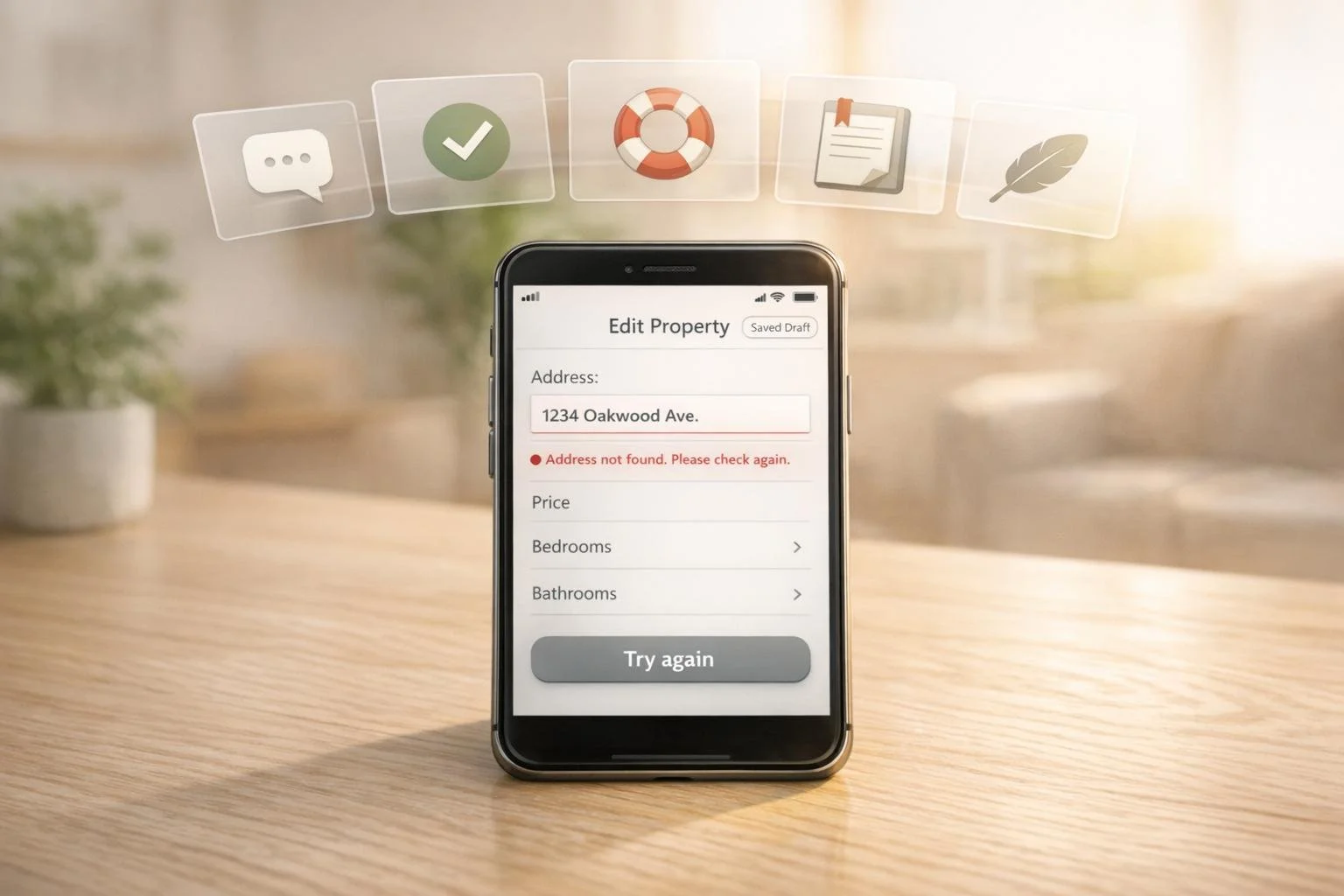
When users encounter errors on real estate platforms, their experience can quickly turn frustrating. Clear, actionable error handling can build trust, reduce stress, and improve platform performance. Here’s how you can improve error handling:
- Write clear, specific error messages: Replace vague messages like "An error occurred" with clear explanations and next steps (e.g., "This password doesn’t match. Try again or reset it.").
- Use inline validation and real-time feedback: Catch errors as users type, highlight issues immediately, and preserve inputs so users can correct mistakes without starting over.
- Provide step-by-step recovery options: Allow users to fix errors without losing progress. For example, suggest alternative dates for unavailable property showings.
- Design simple logging and alert systems: Log issues without overwhelming users, and use clear actions like "Retry" or "Undo" to guide them toward resolutions.
- Enable graceful degradation and automatic retries: Ensure one failing feature doesn’t disrupt the entire platform. Use smart retries and cache inputs to protect user progress.
These strategies not only reduce user frustration but also improve conversion rates and task completion. Start by reviewing your platform’s error messages and validation processes to make them more user-friendly.
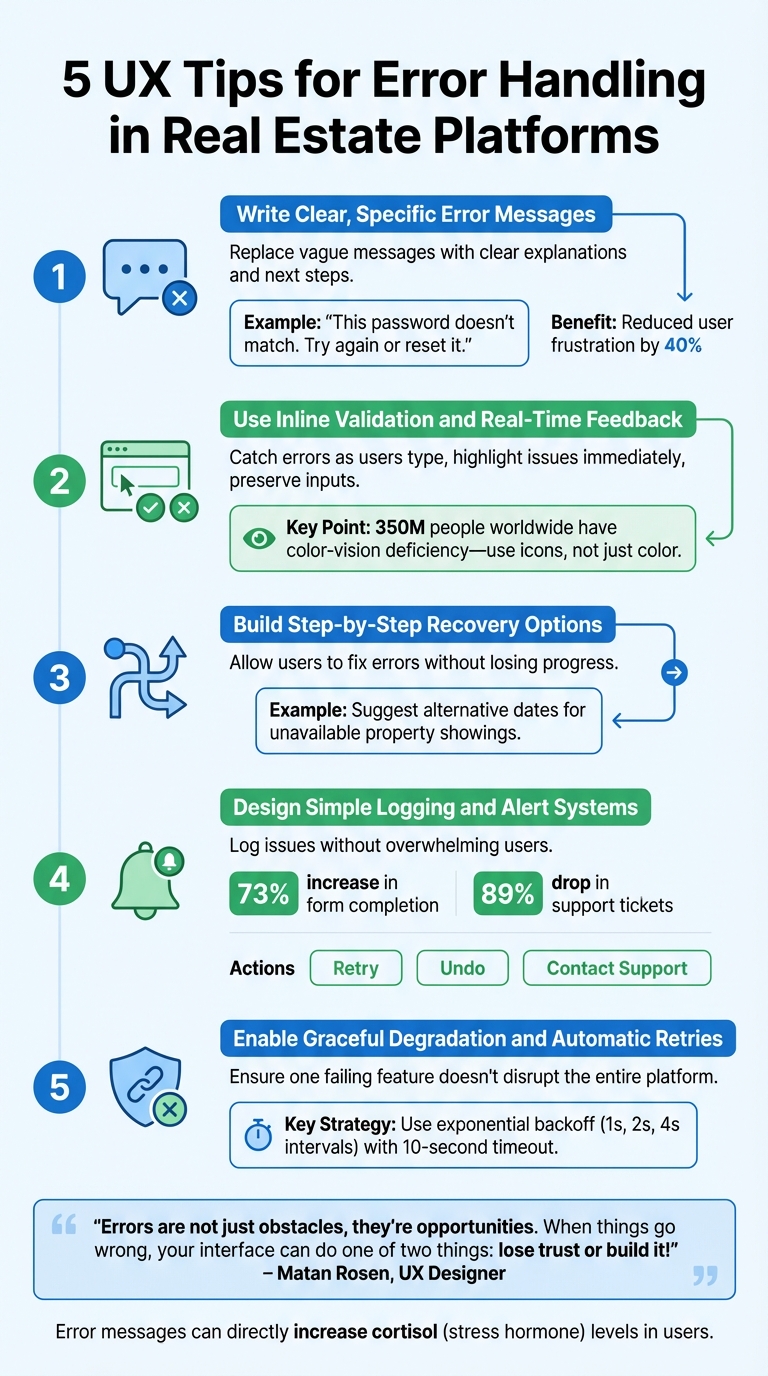
5 UX Tips for Error Handling in Real Estate Platforms
1. Write Clear, Specific Error Messages
Clarity and Relevance of Error Messages
Clear error messages are essential for maintaining user trust. Avoid cryptic codes like "Error 0x0000000643" or vague statements such as "An error occurred", which leave users confused and frustrated [6]. Instead, use straightforward language that explains the issue. For example, replace "Authentication failed" with something more helpful like, "That password doesn't match. Try again or reset it."
A great example comes from July 2025, when SliceInn's booking platform ditched generic "Unavailable" messages. Instead, they introduced, "This room is booked on your selected dates", followed by suggestions like, "Available nearby: [3 similar options]." This approach ensures users understand the issue and know what to do next.
Transparency in Error Communication with Actionable Steps
Error messages shouldn't just point out problems - they should also guide users toward solutions. For instance, Asia Deal Hub launched a "guided creation" system in July 2025. This system flagged potential errors with color cues and helpful microcopy before users submitted their input. According to founder Divyansh Agarwal, this reduced user frustration by 40% [1]. It’s a proactive way to help users succeed rather than waiting for them to stumble.
"Treat errors as moments of guidance, not interruption. Every error or alert is an opportunity to clarify next steps, reduce anxiety, and build user confidence." – Raul Reyeszumeta, Senior Director of Product Design, MarketScale [1]
Offering actionable steps in error messages keeps users engaged and reassured.
Support for Recovery and Alternative Solutions
Error messages should never leave users feeling stuck. For example, instead of "No results found", say, "We couldn't find properties in this area. Try expanding your search radius" [2]. Similarly, for address validation, allow users to override a "wrong address" warning if they’re confident in their input. Overly rigid validation systems can frustrate users to the point of abandoning the process altogether [2]. Also, make sure user input is preserved so they can make adjustments without starting from scratch [2]. This approach helps users recover quickly and stay on track.
sbb-itb-99d029f
2. Use Inline Validation and Real-Time Feedback
Preventing User Errors with Validation
Inline validation isn't just about catching mistakes - it’s about making the process smoother for users. When someone enters data into a real estate platform, whether it’s a ZIP code, property price, or mortgage detail, inline validation can instantly flag errors. This immediate feedback helps users fix problems right away, avoiding frustration later on. It’s like having a helpful guide that ensures everything is correct before moving forward.
Auto-formatting is another handy tool. For example, fields like phone numbers or credit card details can automatically adjust formatting as users type, eliminating common syntax issues. Smart defaults also play a role, offering suggestions for things like property types or locations to make data entry faster and more accurate. Once real-time checks are in place, the next step is ensuring error messages appear at just the right time.
Clear and Actionable Error Communication
Timing is everything when it comes to error messages. Instead of interrupting users while they’re typing, wait until they move to the next field to display errors. Place the messages close to the input field to ensure they’re easy to see - especially on mobile devices, where on-screen keyboards can block messages if they’re poorly positioned. For more complex inputs, like passwords or character limits, real-time guidance can help users meet the requirements as they type.
To make error messages even more effective, use visual cues like icons, bold text, and high-contrast borders. Don’t rely on color alone - about 350 million people worldwide have some form of color-vision deficiency [6].
Smooth Recovery and Flexible Alternatives
When a validation error occurs, users shouldn’t have to start over. Keep their inputs intact so they can make quick adjustments instead of re-entering everything. For fields like addresses or phone numbers, consider allowing users to override overly strict validation rules if needed. Being too restrictive can block valid entries and frustrate users.
If validation shows that certain options aren’t available, offer alternatives on the spot. For instance, if a user selects dates that are already booked, suggest nearby properties or different dates immediately. This keeps the process moving and helps users stay engaged with your platform, even when they hit a snag. By combining real-time feedback with flexible solutions, you create a user experience that feels intuitive and supportive.
3. Build Step-by-Step Recovery Options
Support for Recovery and Alternative Solutions
When users encounter errors, having effective recovery options can make all the difference in maintaining their trust. Real estate platforms often involve complex tasks like property searches, mortgage calculations, or document uploads. Forcing users to start over after an error wastes their time and can damage their confidence in the platform. Instead, focus on preserving their progress. For instance, if a property spreadsheet upload runs into a mapping issue, allow users to adjust field assignments directly rather than requiring a complete re-upload. This takes the concept of inline validation and applies it to multi-step processes. Similarly, make sure invalid entries are editable so users can quickly correct them without frustration.
Providing immediate alternatives helps keep users moving forward. If someone selects unavailable showing dates, offer nearby time slots or suggest similar properties. Or, if a ZIP code doesn’t match the city entered, provide a smart suggestion to fix the mismatch. This recovery-focused approach ensures users feel guided and supported, even when things don’t go as planned.
Communicate Errors Clearly and Provide Direct Actions
Clear communication is the foundation of any recovery strategy. Users need to understand what went wrong, why it matters, and how they can fix it. Avoid confusing technical jargon - no one wants to see something like "Error 0x800704CF." Instead, use plain language, such as "It looks like you’re not connected to the internet."
"Help Users Recognize, Diagnose, and Recover from Errors." – Jakob Nielsen, Principal, Nielsen Norman Group
Make sure to include actionable buttons like "Retry" or "Undo" to guide users toward a solution. If the issue is server-side, be upfront about it. Let users know what’s happening and provide a realistic timeframe for resolution. This transparency goes a long way in maintaining user confidence, even during unexpected interruptions.
System Reliability During Failures or Interruptions
Real estate platforms often face challenges from external factors, such as lost GPS signals during property tours or intermittent connectivity during field visits. To maintain a seamless experience, systems must remain reliable even during such interruptions. Detect issues quickly and communicate them clearly, offering fallback options like offline syncing. For example, if connectivity is lost mid-task, automatically save the user’s progress so they can pick up right where they left off once they’re back online. This not only ensures a smoother experience but also reinforces the platform’s reliability and user-first design.
4. Design Simple Logging and Alert Systems
Transparency in Error Communication with Actionable Steps
Real estate platforms handle sensitive information and high-value transactions, making it essential to use a real estate deal analysis tool to document every error and communicate them clearly. Your system should differentiate between non-critical errors, which can be logged for later analysis, and critical ones that disrupt users' workflows. Alerting users only when necessary helps avoid "alert fatigue" and ensures they pay attention when it matters most [7].
Every alert should include a clear call to action, such as "Retry", "Undo", or "Contact Support." This provides users with a straightforward way to address the issue. By guiding users with actionable steps, you create a system that feels more reliable and user-friendly.
Enhancing System Reliability Through Smart Logging
Real-time error tracking is a game-changer for catching issues early and reducing disruptions [7]. For example, in July 2025, Deep Cognition adopted smart defaults and real-time validation under John Pennypacker's leadership. This approach - featuring auto-formatting inputs and dynamic suggestions - led to a 73% increase in form completion rates and an 89% drop in setup-related support tickets [1]. This demonstrates how proactive monitoring and intelligent alerts can drastically improve user experience.
"Error logging and monitoring play a pivotal role in the continuous improvement process. These practices are not just about catching errors as they occur; they are about understanding the user experience and enhancing it." – FasterCapital [7]
For major system failures like server downtime, use persistent banners or modal dialogs that require users to acknowledge the issue. Include realistic timelines for resolution to manage expectations [6]. Avoid using toast notifications for critical errors, as they can disappear before users take action. If an error occurs while the user is on another tab, consider changing the document title or favicon to grab their attention [2]. This ensures that critical issues are impossible to miss.
5. Allow Graceful Degradation and Automatic Retries
Support for Recovery and Alternative Solutions
Graceful degradation is all about keeping things running smoothly, even when parts of the system hit a snag. For platforms like real estate websites, a single feature failing shouldn't bring the entire site to its knees. Component-level isolation is key here - it ensures that if one feature (like a property map or mortgage calculator) crashes, the rest of the platform stays functional. This resilience is a hallmark of integrated real estate platforms designed to handle complex data dependencies. By using error boundaries, you can catch issues in specific areas without taking down the whole application. For example, if non-essential APIs (like real-time property analytics or neighborhood data) fail, the rest of the page can still load while displaying a simple "Unable to load" message for the affected section instead of a full-blown error screen [8].
And when a specific property listing is no longer available, don't leave users hanging. Suggest similar properties or nearby options right away to keep them engaged. This approach not only protects the user experience but also creates a foundation for managing temporary faults through automated recovery methods.
System Reliability During Failures or Interruptions
Automatic retries are a lifesaver when it comes to transient network issues. But they need to be smart. Use exponential backoff for retries - start with short intervals (e.g., 1 second, then 2 seconds, then 4 seconds) and gradually increase until reaching a limit. This handles temporary connection problems without overloading your servers or annoying users. To prevent endless loading loops, implement a timeout mechanism (around 10 seconds) with tools like AbortController. This ensures users aren't stuck staring at a spinning wheel, which often leads to frustration and page abandonment [9].
"The difference between a resilient frontend and a fragile one is how gracefully you handle failure." – Frontend Digest [8]
Another important strategy is caching user input. For instance, if someone is filling out a property valuation form and their connection drops, they shouldn't lose all their progress. Save their input locally so they can pick up right where they left off when the connection is restored. Provide a manual "Retry" button alongside automated retries to give users more control [9]. For actions like deleting saved searches, consider optimistic updates - update the UI immediately to reflect the change, then send the request. If the request fails, roll back the change and inform the user with a clear message and options to recover. This approach keeps things seamless while maintaining trust.
How to Design Good Error Messages: The Root Problem of Bad Error Messages
Conclusion
Error handling acts as an unspoken agreement between your platform and its users. Studies reveal that encountering error messages can directly increase cortisol levels - the hormone linked to stress - in users [5]. For real estate professionals working on high-stakes tasks like deal submissions or property valuations, a confusing interface only adds unnecessary pressure.
The five UX tips outlined here can turn errors into opportunities for guidance [1][4]. Clear error messages provide explanations, inline validation stops issues from escalating, and step-by-step recovery options help users stay on track. Simple logging keeps teams informed without overwhelming them, and graceful degradation ensures that one failing component doesn’t disrupt the entire experience. As UX Designer Matan Rosen says:
"Errors are not just obstacles, they're opportunities. When things go wrong, your interface can do one of two things: lose trust or build it!" [4]
These strategies not only enhance user satisfaction but also drive measurable results. For example, platforms that adopt these principles often see higher form completion rates and lower support requests [1]. Such outcomes can be the difference between users abandoning your platform or trusting it.
For CoreCast, an all-in-one platform where real estate professionals handle underwriting, portfolio analysis, and more, applying these error-handling practices is crucial. Whether users are tracking deals through various stages, analyzing market trends, or creating branded reports for stakeholders, every error message either strengthens or weakens their trust in the system [3][4]. The aim is clear: build an interface that supports users instead of frustrating them when things go wrong.
Start by reviewing your current error messages. Add inline validation to catch problems early, and design recovery paths that protect user progress while offering solutions. This approach benefits both your users and your business metrics.
FAQs
What details should every error message include?
Every error message should do three key things: explain what went wrong, why it happened, and how the user can fix it. The goal is to make the experience less frustrating by providing clear, actionable steps that guide users toward a solution.
Keep the message short and straightforward, avoiding complicated technical terms unless absolutely necessary. For example, instead of saying, "Authentication token mismatch", you could say, "Your session has expired. Please log in again to continue." This approach not only informs the user but also helps them resolve the issue quickly and confidently.
When should inline validation display an error?
Inline validation works best when it flags errors immediately after a user leaves a field with incorrect input or when the system detects an issue. The key is to provide clear and actionable feedback that helps users understand what went wrong and how to fix it. This approach keeps users on track, minimizes frustration, and makes the overall experience more seamless.
How can a platform save my progress during failures?
When a platform includes features like retry options, save progress functionality, or access to support, it helps users safeguard their progress during unexpected failures. These tools allow users to recover their work without hassle, reducing the risk of data loss. This not only builds trust but also improves the overall experience for users.